
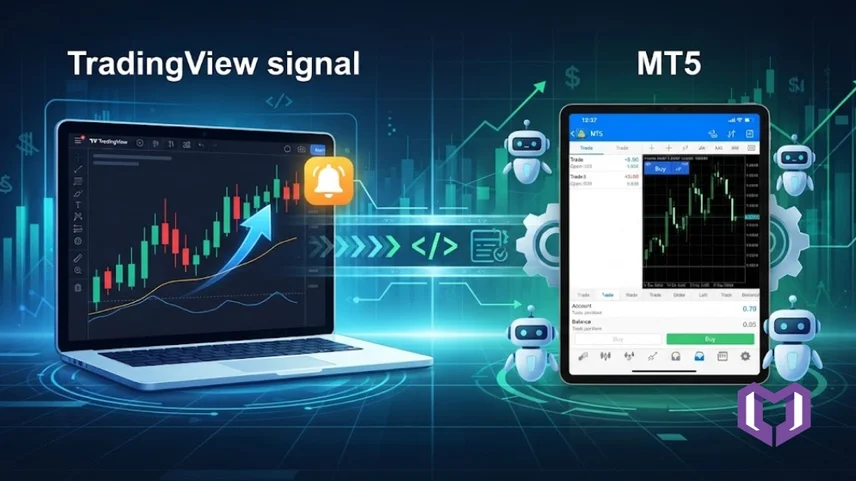
TradingView has become one of the world's most popular charting platforms for traders.This platform provides a number of advanced charts, multiple indicators, and Pine Script strategies which enable the identification of potential buying and selling opportunities.
Identifying a trading opportunity is only the first step of trading since it is essential to execute trades fast and correctly so as not to miss the optimal points of entry and exit. It is at this point that TradingView Signals may prove useful.
Signals on TradingView will notify you about the occurrence of specified trading conditions. What is even better, through various extensions such as MetaConnector, these signals will be automatically transferred to MetaTrader 4 (MT4) or MetaTrader 5 (MT5) through webhooks for automatic execution of your trades.
This article will provide an overview of TradingView signals, their operation, automation, and reasons why they are so popular among traders.
A TradingView signal is an alert generated when a specific trading condition is met on a chart. The signal can be created using:
If the specific criterion is satisfied, TradingView will send out an alert. This notification can be sent through email, mobile push notification, SMS, or a TradingView webhook for automated trading.
For manual traders, it's simply a notification.
For automated traders, it becomes a trading command that can automatically execute trades on MT4 or MT5.
A TradingView signal follows a simple workflow.
Step 1: Market Condition
Your strategy monitors the market continuously.
For example:
Step 2: Signal Generation
When the condition is met, TradingView generates a Buy or Sell signal.
Example:
Step 3: Alert Creation
TradingView sends the alert immediately.
The alert may include:
Step 4: Webhook Sends the Signal
Step 5: Trade Execution
Using MetaConnector, the webhook message is translated into MT4 or MT5 commands.
Your MetaTrader terminal then places the trade automatically without any manual intervention.
TradingView → Webhook → MetaConnector → MT4/MT5
Every automated TradingView signal has two important parts.
1. Trigger
The trigger defines when the signal should be generated.
Examples include:
2. Message Payload
The payload tells your trading software what action to perform.
Instead of plain text like:
Automation uses a structured JSON message containing details such as:
This allows MetaConnector to understand the signal and execute the correct order on MT4 or MT5.
Many beginners confuse signals with alerts, but they are different.
To put it simply, the signal tells you when to trade, and the alert informs you of the signal.
Automated trading setup is simpler than many traders imagine.
After receiving the signal, MetaConnector forwards it to MT4 or MT5 to execute the trade via EA.
Faster Trade Execution
Signals are delivered within milliseconds, helping traders enter the market quickly.
No Emotional Trading
Automation follows predefined rules without hesitation or emotional decisions.
24/7 Market Monitoring
TradingView is continuously tracking the market even if you are not around.
Automatic Trade Execution
When connected with MetaConnector, signals can place trades automatically on MT4 or MT5.
Better Consistency
Every trade follows the same strategy, reducing manual mistakes.
Supports Multiple Markets
TradingView signals can be used for:
To improve reliability, follow these recommendations:
Some common issues include:
Most of these problems can be resolved by checking your webhook configuration, strategy settings, and MetaConnector connection.
MetaConnector simplifies the entire automation process by connecting TradingView directly with MT4 and MT5.
It helps traders:
Whatever type of Pine Script strategy or TradingView indicators you use, MetaConnector makes an excellent connector between TradingView and MetaTrader.
TradingView Signal is much more than just a notification. It marks the beginning of an automated trading process that does not require any manual effort for making trades.
In order to make use of the sophisticated charting tools of TradingView, along with the MetaConnector, the users may trigger the webhooks from the TradingView platform directly into the MT4 and MT5 platforms, thus decreasing execution time and removing any emotionality out of their trading process.
For both beginner traders and seasoned professionals, who would like to learn more about TradingView and its functionality, understanding how TradingView signals work is the right place to start.
1. What is a TradingView Signal?
A TradingView signal is an automated notification generated when predefined trading conditions are met. It can be used for manual trading or automated execution through MT4 and MT5.
2. Can TradingView signals place trades automatically?
Not directly. In order to connect TradingView signals to MT4 and MT5 for automated trading, a webhook bridge such as MetaConnector must be used.
3. How do TradingView signals differ from TradingView alerts?
The trading signal determines where the trading opportunity occurs, and the alert provides the signal in the form of alerts and webhooks.
4. Can I use TradingView signals with MT5?
Yes. TradingView signals can be connected to MT5 by the help of MetaConnector and webhooks.
5. Can I use TradingView signals for beginner traders?
Yes. Beginner traders may start with the help of the available indicators and alerts, and later on move forward with automation via webhooks and MetaConnector.